

Subject-aware cropping with two tiny ONNX models
TRMNL caters to a wide variety of use cases. One that we didn't expect is displaying family photos. Given existing LCD solutions on the market, we never thought monochrome images would be particularly popular. However, as is often the case we were wrong.
Since then we have invested significant engineering time to make photos look better on any ePaper device. TRMNL even acquired a popular photo plugin from a community member to have greater control over how we serve photos.
Inherent constraints
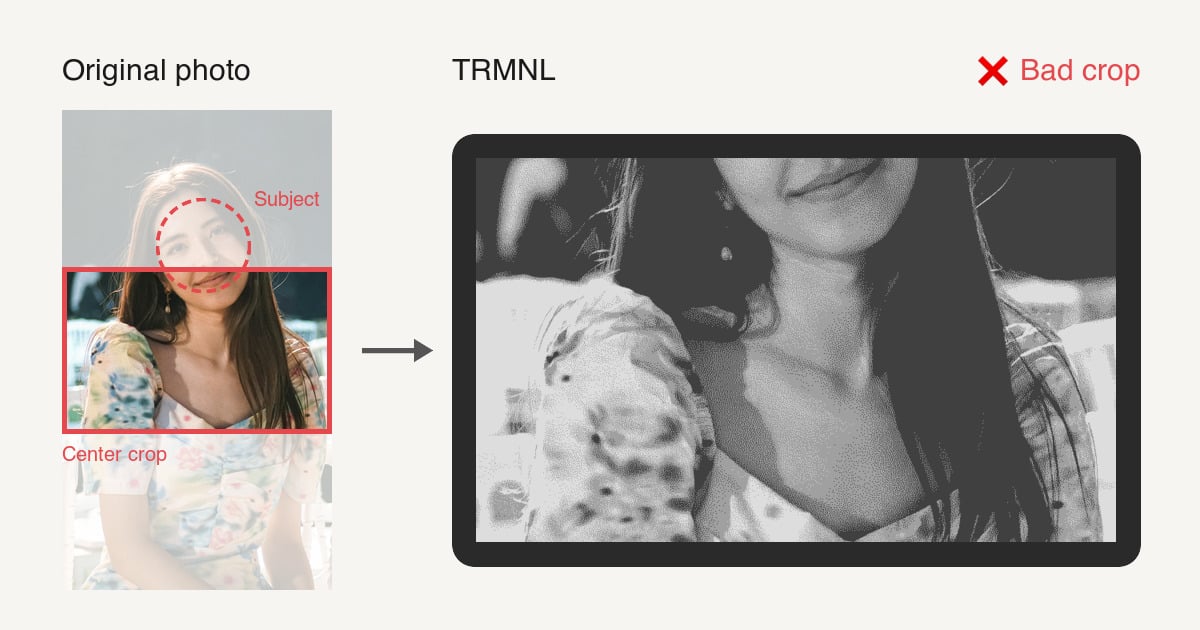
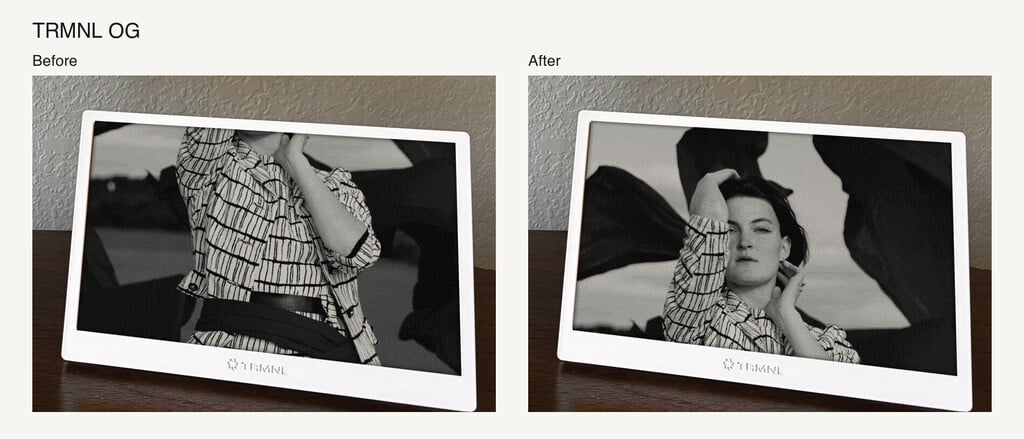
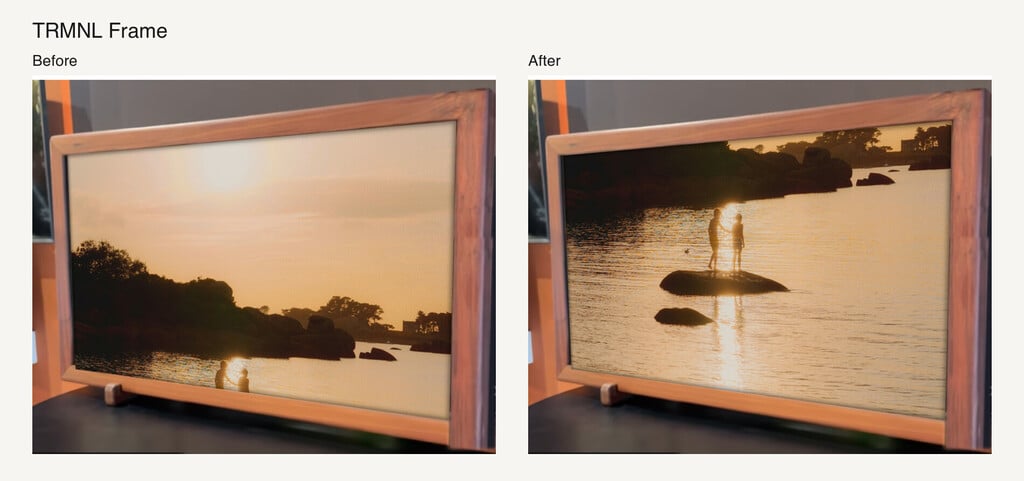
ePaper hardware is limited by the available screen real estate, a.k.a. pixels, and we have to introduce a bit of ingenuity to extract the best outcome. Customers who used photo based plugins (Apple Photos, Google Photos, Google Drive, Dropbox Album) often observed that the photo displayed by TRMNL was not optimal. The content at the center of the photo may not always be the main highlight. This is particularly bad when a landscape-oriented TRMNL device is showing portrait-oriented photos.
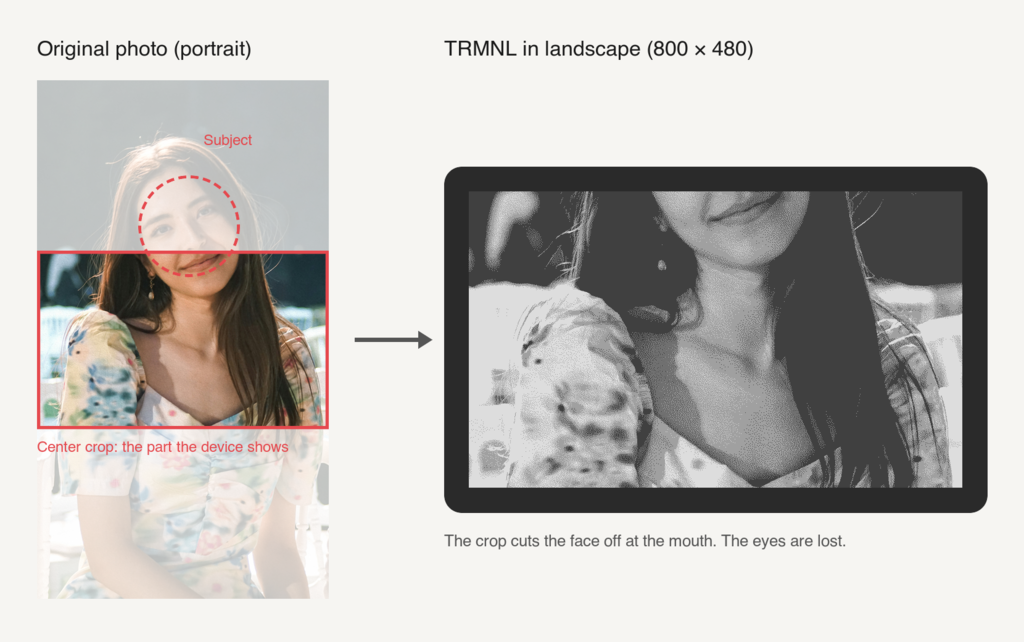
To overcome this, we previously advised customers to crop their photos to the exact device dimensions. But with a growing fleet of supported devices, this became a pain as a single photo can be displayed in a lot of different resolutions.
Enter ML
Customer photos are sensitive PII. TRMNL needed a solution that is content aware, while also not reliant on third-party services. So we started exploring ML models that are small and fast enough to run on our own servers, and smart enough to detect a human face.
After a lot of experimentation we settled on UltraFace. In our testing, larger models did not perform their face-finding mission any better yet were much slower, so we kept the smallest model. We also wanted a fallback for when a human is not found in the picture, as many images might depict animals, objects, illustrations etc. For this we settled on U²-Net-p to detect saliency.
def center(image) = largest_face_center(image) || salient_subject_center(image)
measured on 500 photos on an Apple M4
Step | Photos | p50 | p90 | p99 | max |
|---|---|---|---|---|---|
UltraFace (runs on every photo) | 500 | 18 ms | 20 ms | 23 ms | 52 ms |
U²-Net-p (runs when no large face is found) | 487 | 109 ms | 114 ms | 129 ms | 151 ms |
The combination of UltraFace + U²-Net-p means TRMNL is always able to find and crop the most interesting subject in a given photo for the displaying device's resolution.
Results
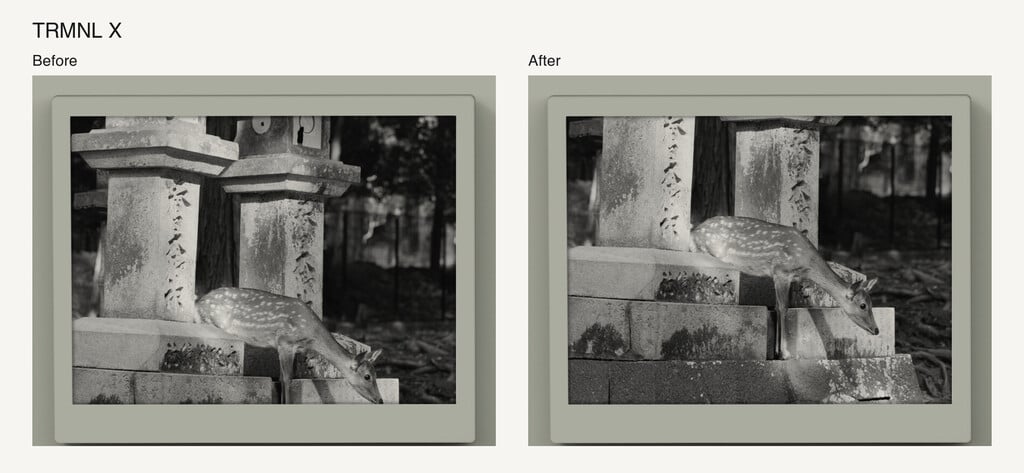
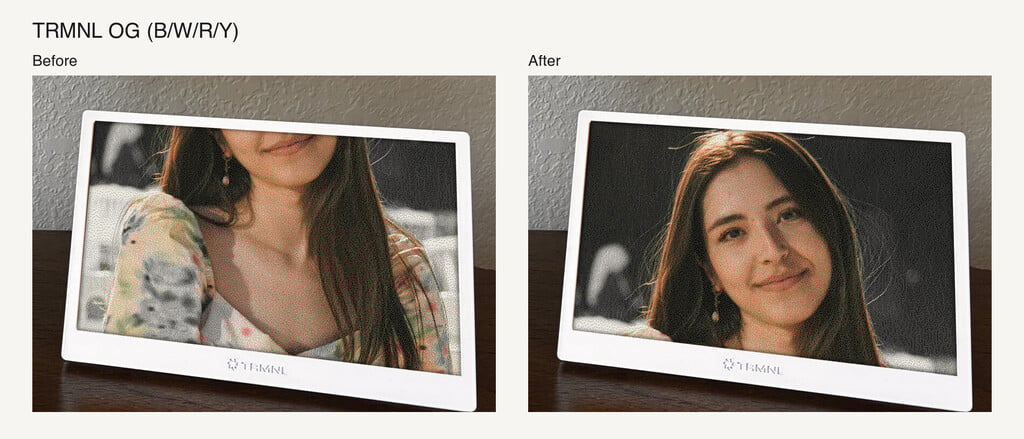
Here are before/after examples on our native devices. BYOD devices get the same benefits.
What's next?
No action is required to take advantage of this improvement. It's now live on all photo-based plugins.
