


Introducing the Model Builder
our BYOD (build your own device) effort is working. over 4,000 licenses now power 100s of hardware combinations.
the first bottleneck in making this possible was embedded software. Raspberry Pis and Android tablets can't run our firmware, and Kindles need their own jailbreak. with the community's help and simple APIs this has since been resolved.
which exposed the 2nd bottleneck: device model specs.
to support a piece of hardware, someone from our team had to look up its screen capabilities, size, and other technical factors, then add it to our database and re-deploy the Models API.
TRMNL engineer Ikraam made this process a lot nicer with a CLI tool:
============================================================
TRMNL Device Model Addition Script
============================================================

Enter device specifications:
  The keyname is a unique snake_case identifier used internally.
  Convention: manufacturer_model

Keyname: <insert>
but still, it's 2026. who wants to deploy a server to deploy a new feature?
introducing Custom Devices
starting today, anyone with a BYOD license may visit the Device settings > Model picker, set their model to Custom Device, then provide the same details which previously required a server deployment.
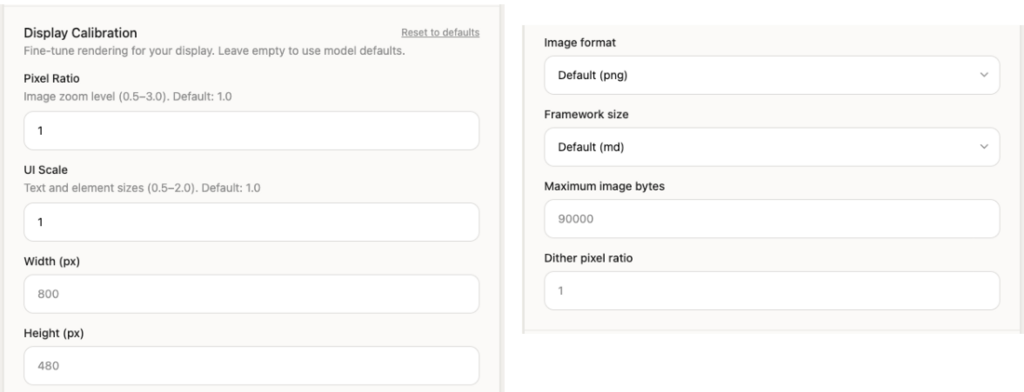
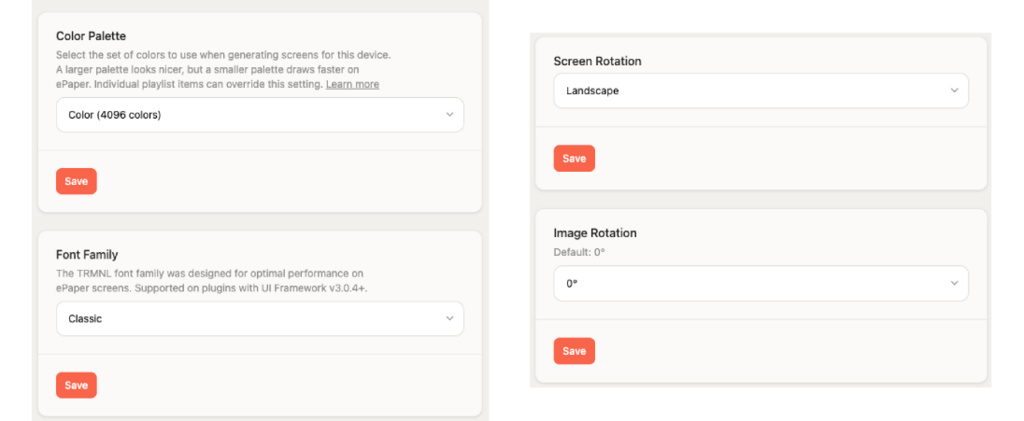
you also gain access to device agnostic Presentation features including color palettes, font families, image rotation, and screen orientation.
next steps
we hope this deploy-free option makes it easier + faster to try new hardware, without our permission.
for more information about Device Models generally, read the docs.
