


Gifting a TRMNL Device: Making it Personal
Cover image sourced artwork is credit to mashermello on Reddit.
Congratulations, you've already been thoughtful enough to give someone a TRMNL. If it's something they asked for, well they probably have a ton of plans so best not to go further. However, there are a variety of customizations you can do to a TRMNL if you want to make improvements, wrap it, and deliver it yourself.
Tailor
Requires: USB-C cable (included), Chromium-based browser, basic image manipulation
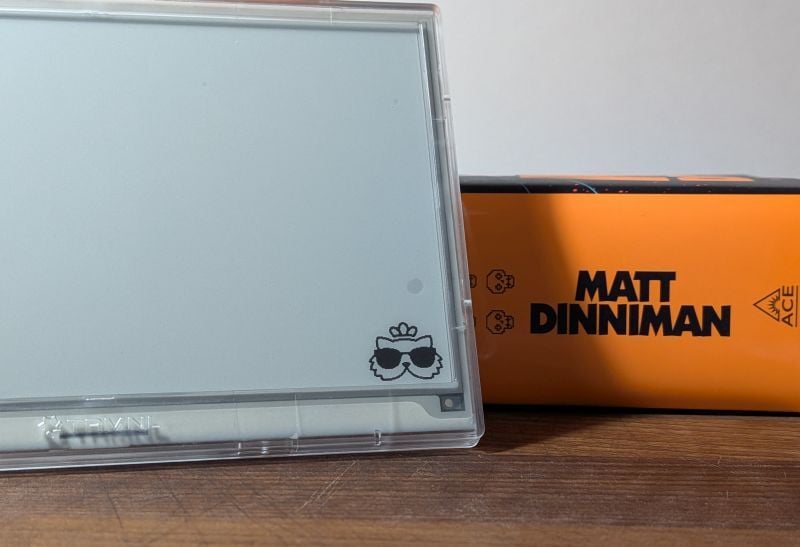
We recently announced Tailor, a way to add a custom splash screen (seen above) and a loading image (seen below). For example, if the gift recipient is a fan of the book series Dungeon Crawler Carl, seeing Princess Donut on slow refresh or Carl & Donut during WiFi setup gives your gift that extra special touch.
Make sure to see the tips in the Tailor announcement, you don't want a big detailed image due to overlaid messaging and a very small amount of space available to contain both images on the device.
Bonus Tip: We just released a gallery of tailored screens for TRMNL devices. We're inviting the community to add to this with their creations!
Preload WiFi
Requires: SSID and password of their WiFi access point, mobile phone with hotspot feature
This trick will make unboxing feel like magic as it will just "work" once turned on. This is also helpful if gifting it to someone who is not tech-cozy. We have a help guide on preloading your WiFi credentials.
Recommend Plugins
Requires: QR Code Generator (optional)
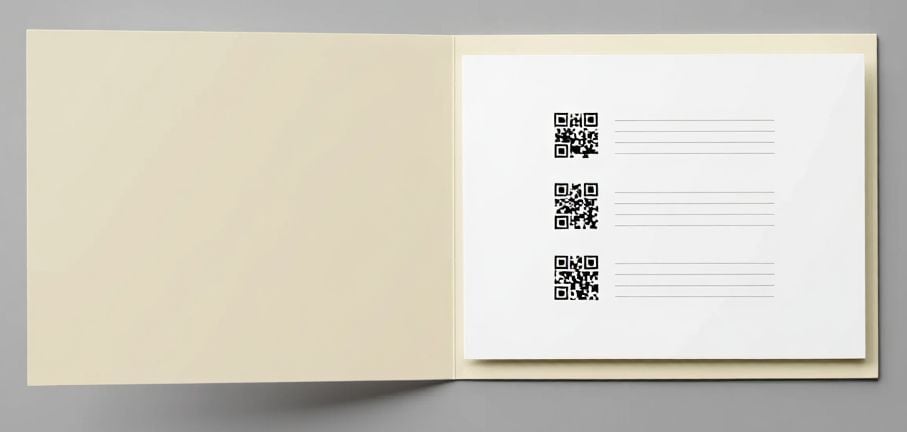
We have over 800+ plugins for users to choose from, so this customization is heavily dependent on how well you know the recipient or your motivations for gifting them a TRMNL. For example, if your recipient is a movie lover, then a variety of movie plugins are available. To turn this into something special, click on an individual plugin page such as "Movie Title Screens", copy the URL https://trmnl.com/recipes/98891 and use a QR code generator to make it easy to print and deliver the URL. Tools like Canva can not only generate QR codes but also help layout a simple card you can print at home, work, or your local library.
Create Account and Load Plugins
Requires: n/a
Of all the possible customizations you can do, this one should be the most reserved (in usage). It's almost exclusively used when you want to deliver the value of TRMNL to someone without them learning management over the device. An example of this is keeping seniors connected to family.
The key step is to create an account and onboard the device like you were the customer. The recipient can change the email address associated with the account after they take ownership. You get it connected to your WiFi, you add plugins, setup the playlist, and then turn it off and box it back up (probably after preloading their WiFi).
What you deliver with the gift is the username and password for the account you created, so they can login, change the password, and update their email address. Then they can do more if they wish, but you've given them a customized TRMNL experience that delivers that value very quickly and gets them to the "wow" moment.
